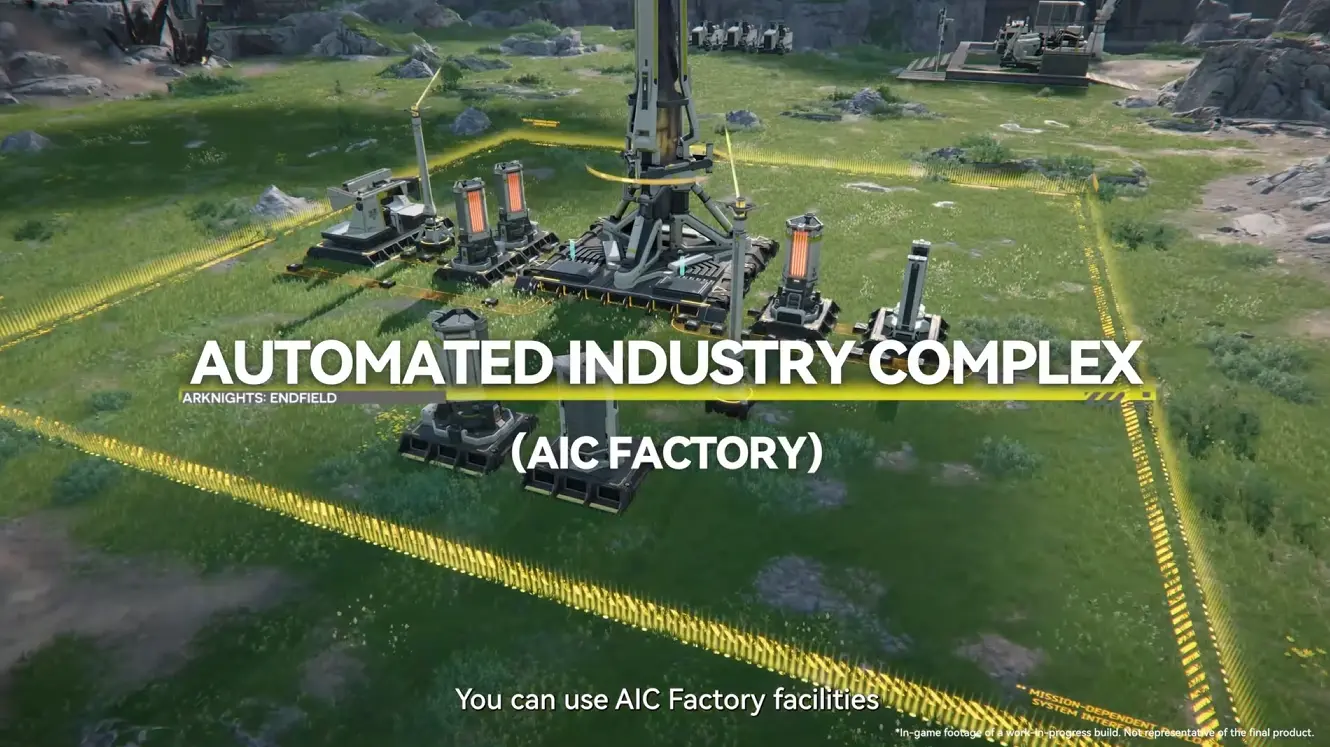
Arknights: Endfield’s Factory system can be incredibly intimidating for new players. From building your first base to slogging through the long, endless tutorials, it’s easy to miss that one critical piece of information you actually need. For players who are new to factory-building systems in general, this can quickly turn what should be a rewarding feature into a source of constant frustration.
Our guide pulls together 10 practical tips that focus on making your Factory experience less frustrating and easier to understand. Some of these tips you may already know, while others could be brand new, so make sure to check all 10 out!
1. Automation Core Yield Overviews
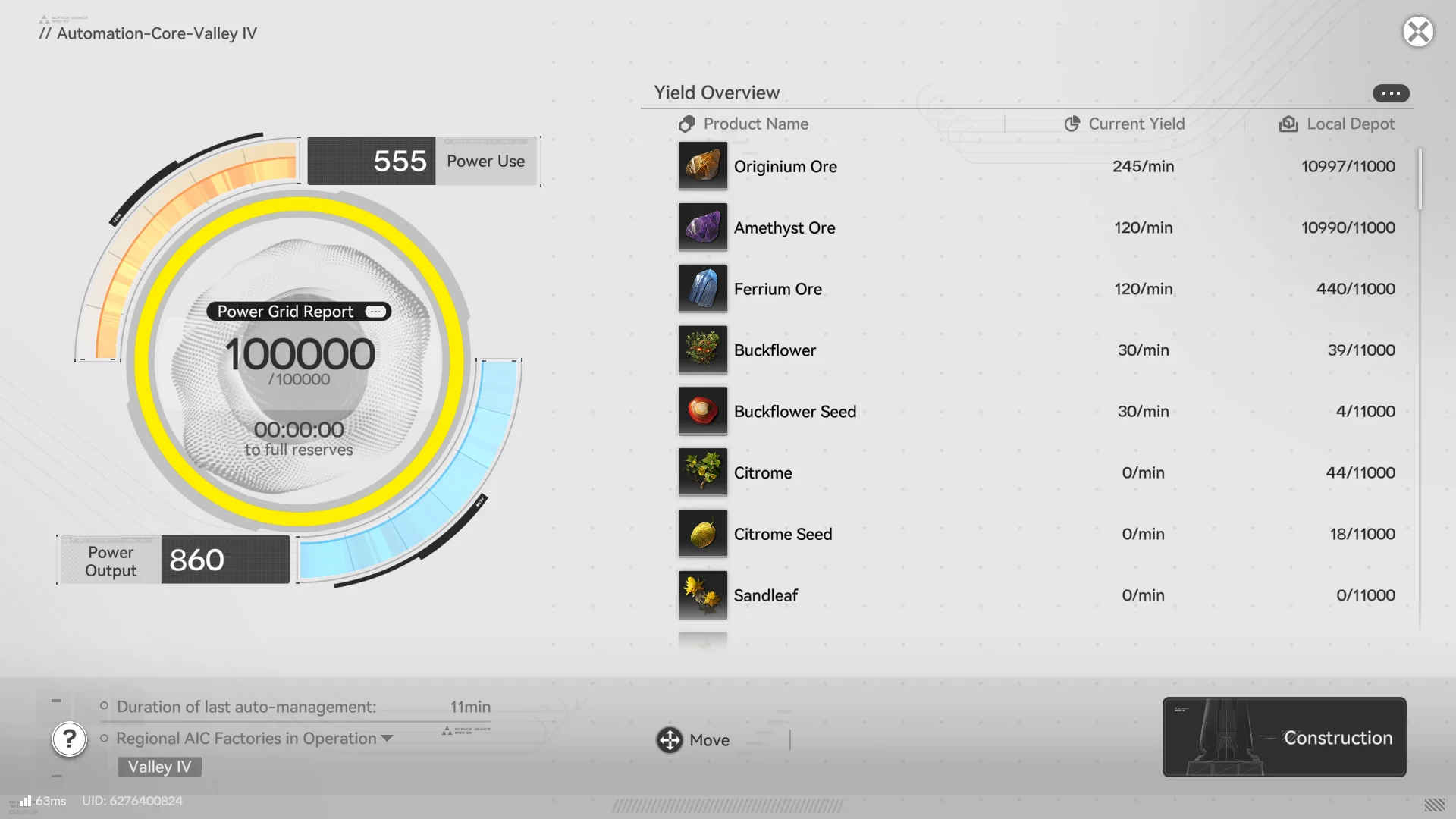
Both new players and seasoned factory veterans may be wondering how I see how much I’m actually producing? The answer to that in Endfield is: Inside your PAC! Select “Protocol Management” in 3D mode or simply click on the main tower of your factory in 2D mode to see an overview of the yield and storage amounts. No need to open your Depot to try to find how much you have of an item!
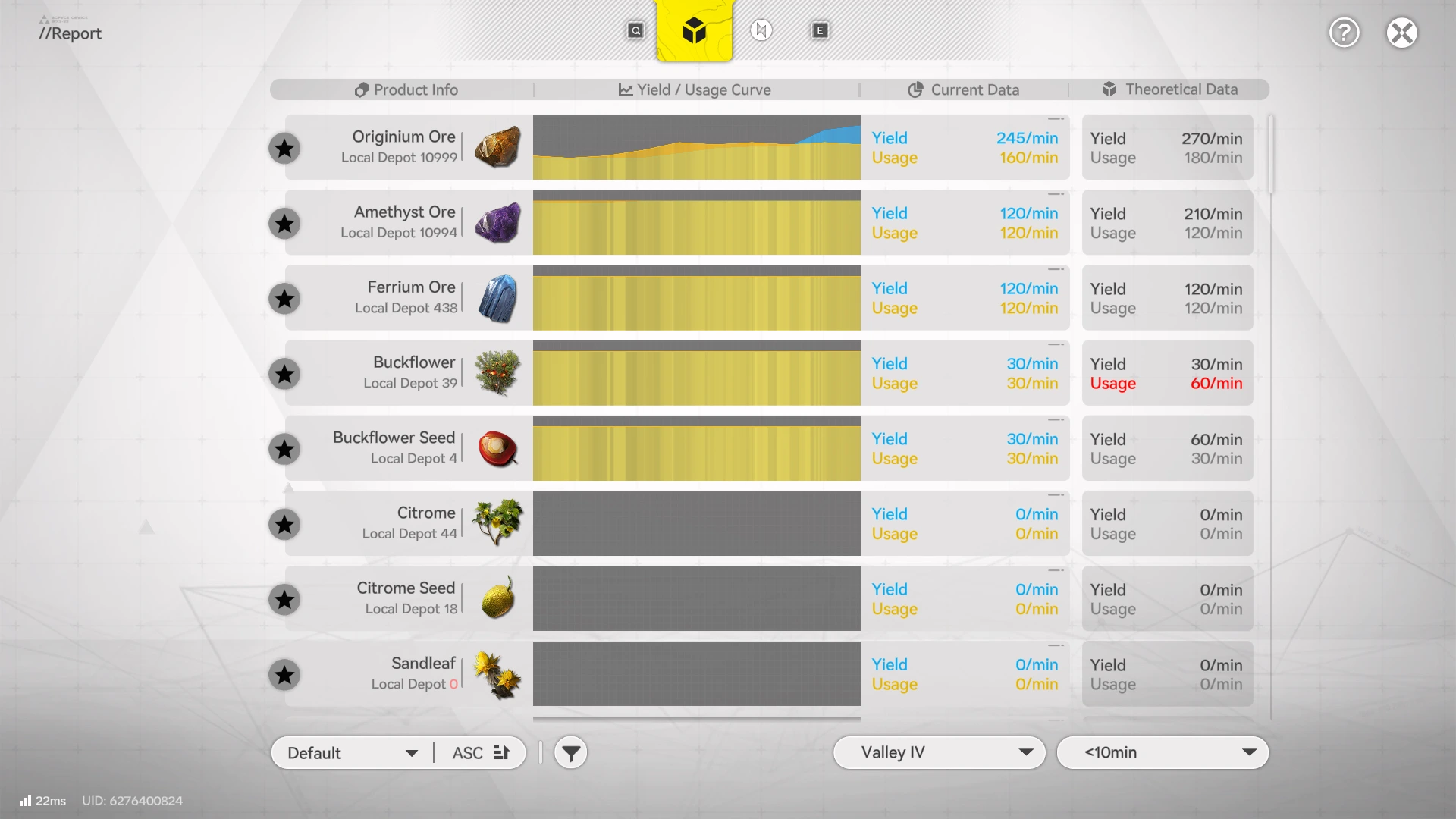
Additionally, clicking the 3 small dots in the top right provides you with a much more detailed report on roughly how much of an item you are using and producing at any given time. With it showing in red if you are using more of an item than you can produce in your factory. You may however, want to adjust the time window that Arknights: Endfield is looking at to see a more reliable result instead of the default 10min option.
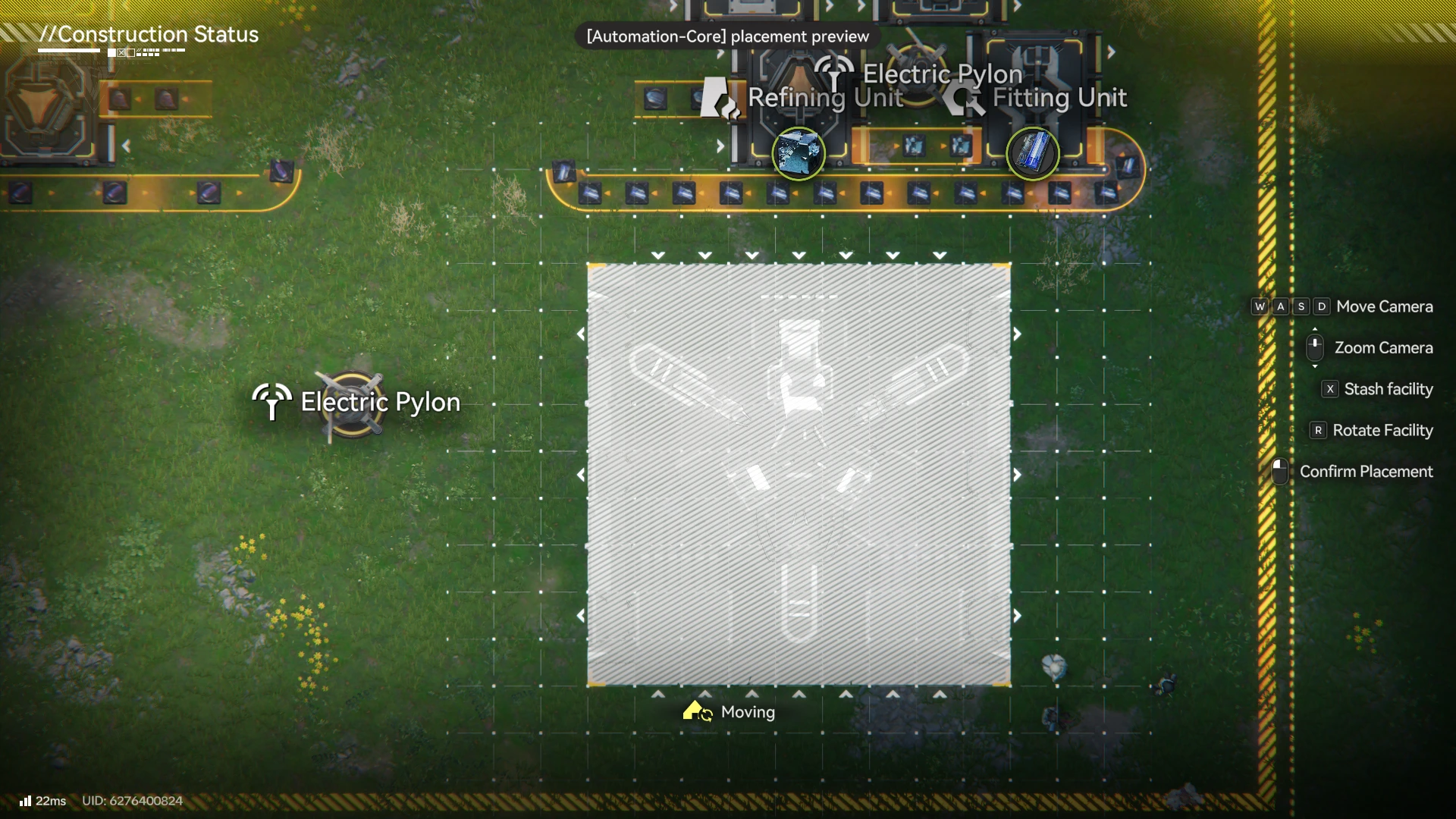
Bonus Tip: You can move the Automation Core wherever you want it!
If the main centre of your factory is annoying you, and you are struggling to place large facilities, it can simply be moved and placed wherever you want, allowing you to customise your factory however you desire.
2. Keep Key Items in Your Inventory to Use On The Go
Arknights: Endfield is just as much a game about exploration as it is factory building, allowing you to place buildings anywhere on the map to solve puzzles or to simply improve your overall factory. Because of this, you should always keep a notable amount of Pylons, Relay Towers, Mining Rigs and possibly Ziplines.
As you enter a new area, you will need to set up new infrastructure, so using Relay Towers to cover large distances is key in allowing you to place Mining Rigs in new locations. This allows you access to new resources faster and even increases your Regional Development Level. Furthermore, having this infrastructure set up in Endfield allows you to solve certain puzzles that require power without having to backtrack across your map.
3. In the Early Game, Don’t Worry if Things Are Inefficient
At the beginning of your journey through Talos II, your factories will be incredibly inefficient. This is a normal part of the process and not something to overly worry about.
Progressing through the main story of Arknights: Endfield will consistently drop new things to improve your factory, such as:
- Extra Tiers to your Skill Tree and more sources of Basic AIC Index to spend on your tree
- New resources & node locations
- The ability to upgrade your factory further
- Entirely new factory locations
Most importantly, these take time. Many upgrades will come from your Stock Bill currency, which takes time to generate from stelling items to your outposts. Your Regional Development Level will upgrade over time by unlocking and upgrading systems, which provides increases to things such as Mineral purity, Zipline Placement and new systems. Don’t let perfect be the enemy of good!
4. Blueprints to Craft Anything Can be Found Online
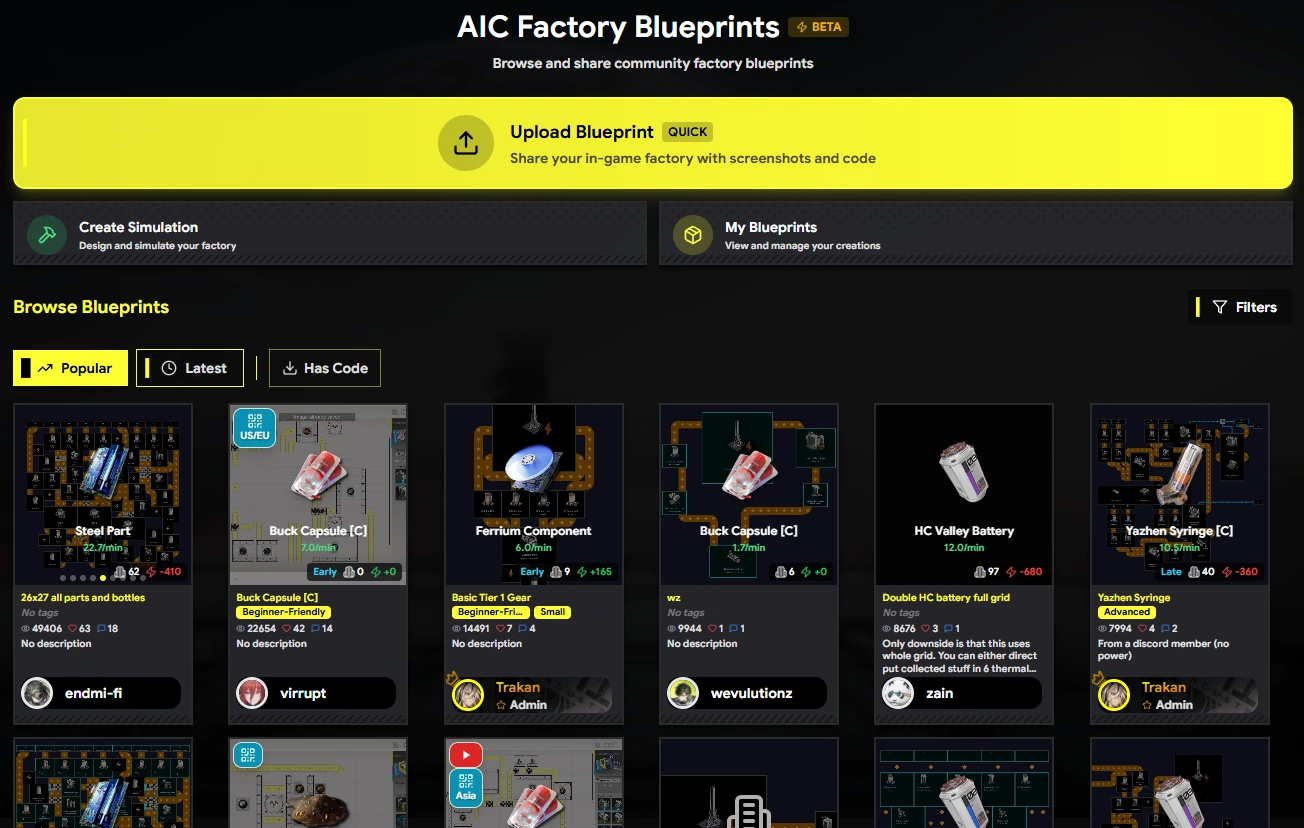
Trying to organise your factory can be difficult, especially with the limited space at the start of the game. It can also be time-consuming to place Facilities down in a reasonable manner when having to shuffle the rest of your factory. Fortunately, Arknights: Endfield features an amazing Blueprints system.
While Endfield provides some initial blueprints through boring tutorials, you can also store up to 100 Shared Blueprints made by other members of the community!
I recommend using either Endfieldtools or Talos Pioneers, which both have amazing blueprint tools.
5. Don’t Have an Excess of Power Available
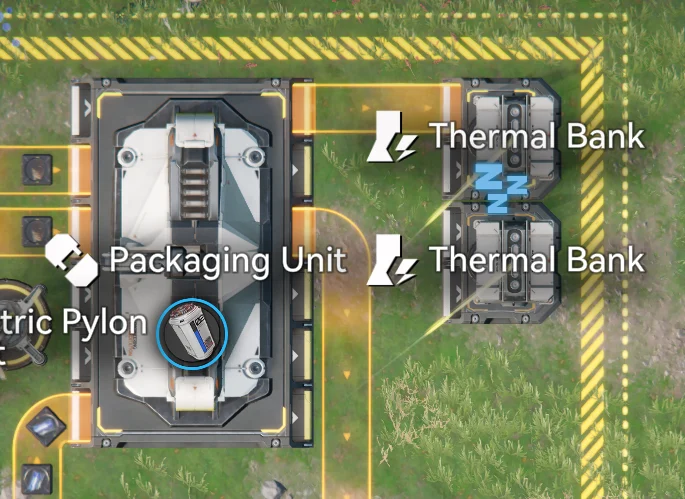
While having some spare power is important for allowing you to build up new factories, you should not have an excessive amount doing nothing. Thermal Banks are amazing for increasing your total power however even if you are not using the power generated by a Thermal Bank, the materials sent into the Thermal Bank are being used.
While you should plan for increased energy consumption in the future, until that day comes, extra batteries can be sent straight into storage and sold to increase your Outpost Prosperity level instead of being wasted by going into a Thermal Bank.
6. Collect Protocol Dataloggers
Protocol Dataloggers are the “Wacky Waving Inflatable Arm Flailing Tubemen” located around the maps of Arknights: Endfield and provide a Basic AIC Index when interacted with while on the Valley IV map.
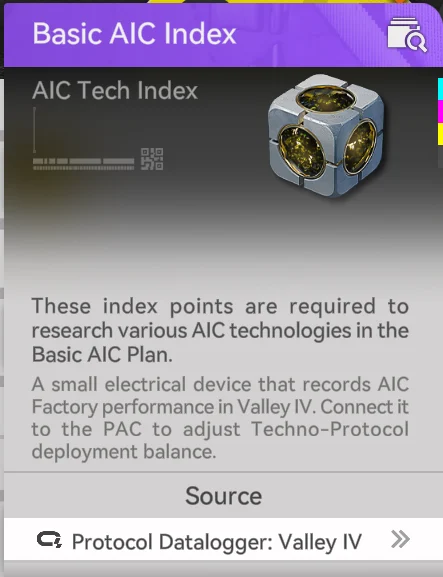
Collecting these is vital to leveling up your factory skill tree so make sure to always go out of your way for them!
7. Need More Inputs? Invest in Buses
It will not take long before the 6 item retrieval slots available per factory become insufficient and you will quickly need more spaces to input new ores and crafted materials from other factories. This is where Depot Buses come in.
Depot Buses can be purchased for Stock Bills, with the amount increasing with each tier.
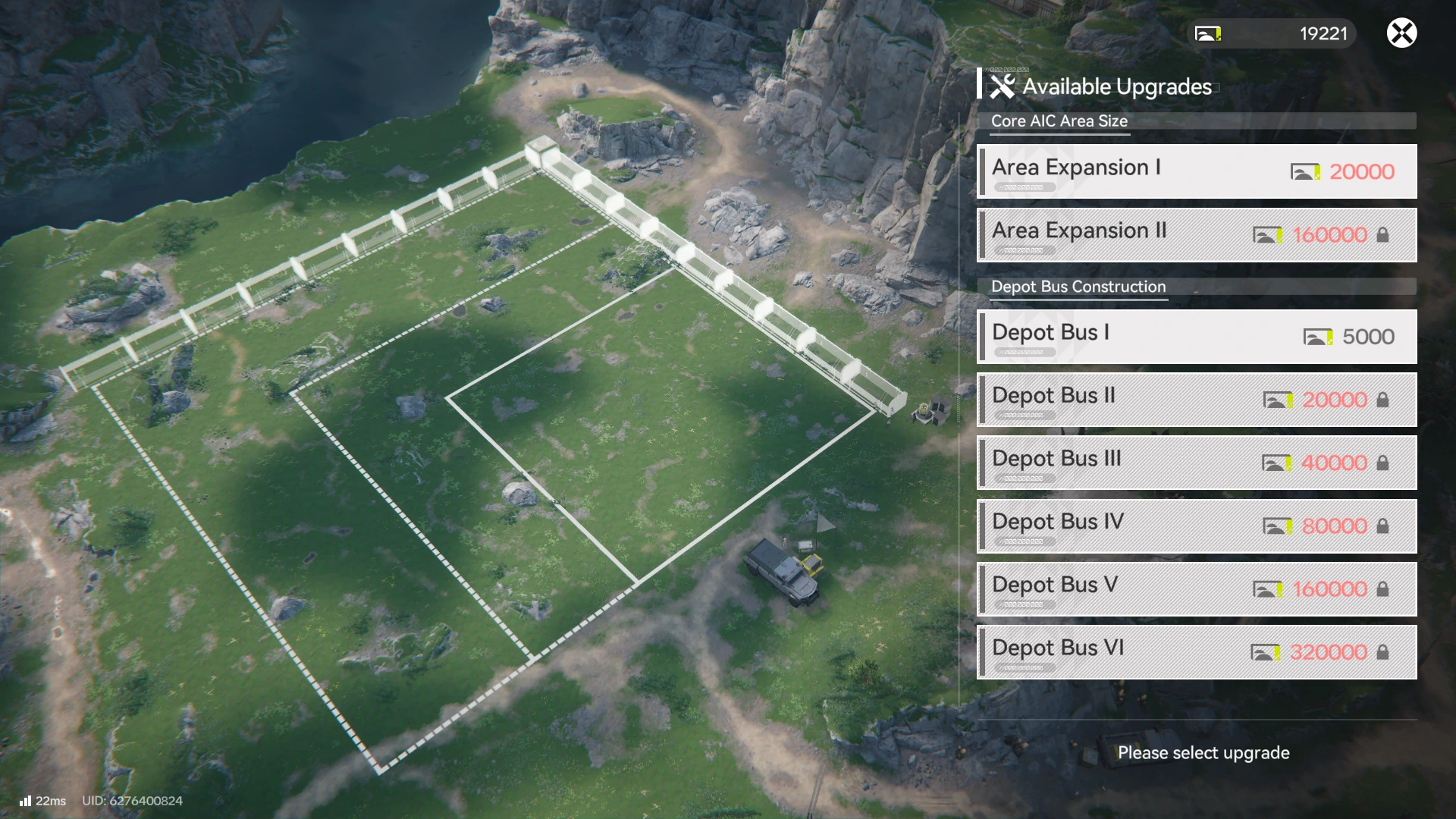
Depot Buses allow you to build both “Depot Loaders” and “Depot Unloaders” allowing for better goods logistics and the ability to use your factory effectively once you expand out the area.
8. Mk II Miner is Not a Direct Upgrade to the Original Electric Mining Rig
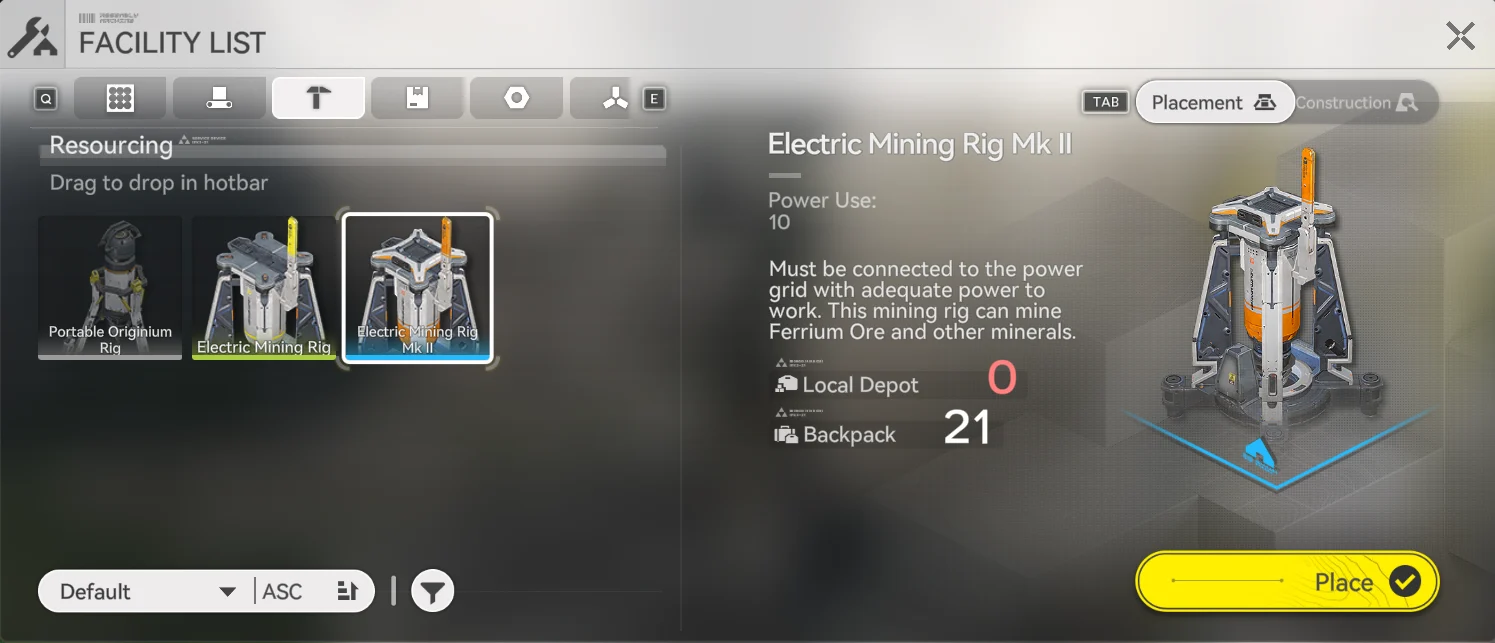
After playing for a while, you will unlock the ability to create an “Electric Mining Rig Mk II” which at a glance appears to simply be an upgrade over the original miner available. While the Mk II rig can mine new ores, it does not increase the yield on Originium and Amethyst Ore and instead simply costs more power!
9. Play The Stock Market for Easy Stock Bills
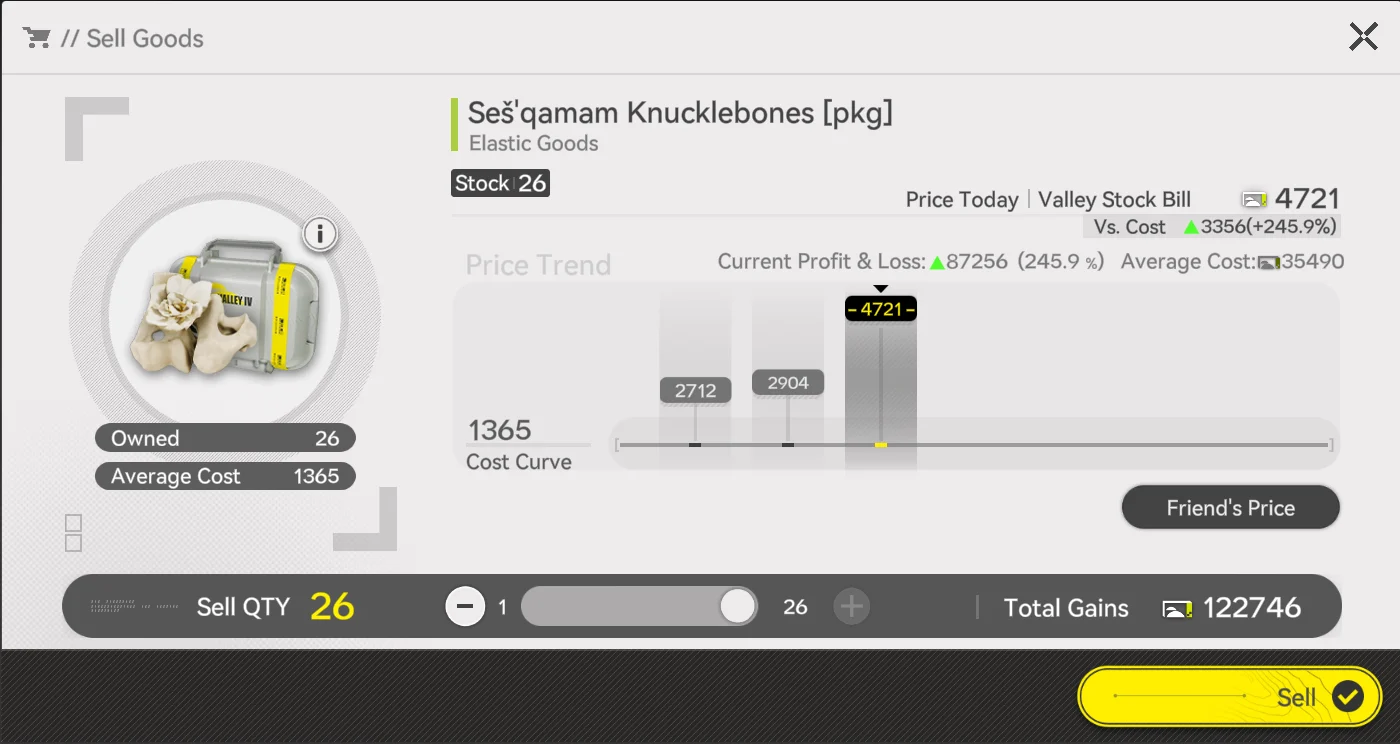
The “Stock Redistribution” shop in Arknights: Endfield has what can essentially be called a “Stock Market” and makes it incredibly easy to obtain Stock Bills in bulk.
Items purchased in the Elastic Goods menu of the Stock Redistribution can be bought at a low price and then flipped on a friends game, which would have a different price. Every player’s price is different so make sure to add many friends!
10. Keep an Eye on Storage
You can only hold so much of each individual item in Arknights: Endfield, and when your storage is full, your factories will simply not produce that item, leading to massive losses in items you could have farmed!
When an item in storage is getting close to being full:
- Try to trade it to your Outposts in Outpost Management to level their Prosperity
- Complete Depot Node delivery missions to use items in bulk and gain Stock Bills
- Add new factory processes to produce more valuable items from anything you have in excess
Conclusion
Endfield’s Factory system can feel punishing at first, especially when the game throws a lot of information at you without clearly explaining what actually matters early on. Most of the frustration players run into comes from small misunderstandings that quietly compound over time, whether that’s power usage, storage limits, or simply not knowing where to look for key information.
Hopefully, these 10 tips help smooth out that learning curve and make the Factory feel easier. You don’t need a perfect setup, an optimal layout, or a fully planned endgame factory to make steady progress. Focus on understanding the systems as they unlock, keep things flexible, and give yourself time to grow into the mechanics rather than fighting them. As Arknights: Endfield opens up, the Factory becomes far more rewarding.