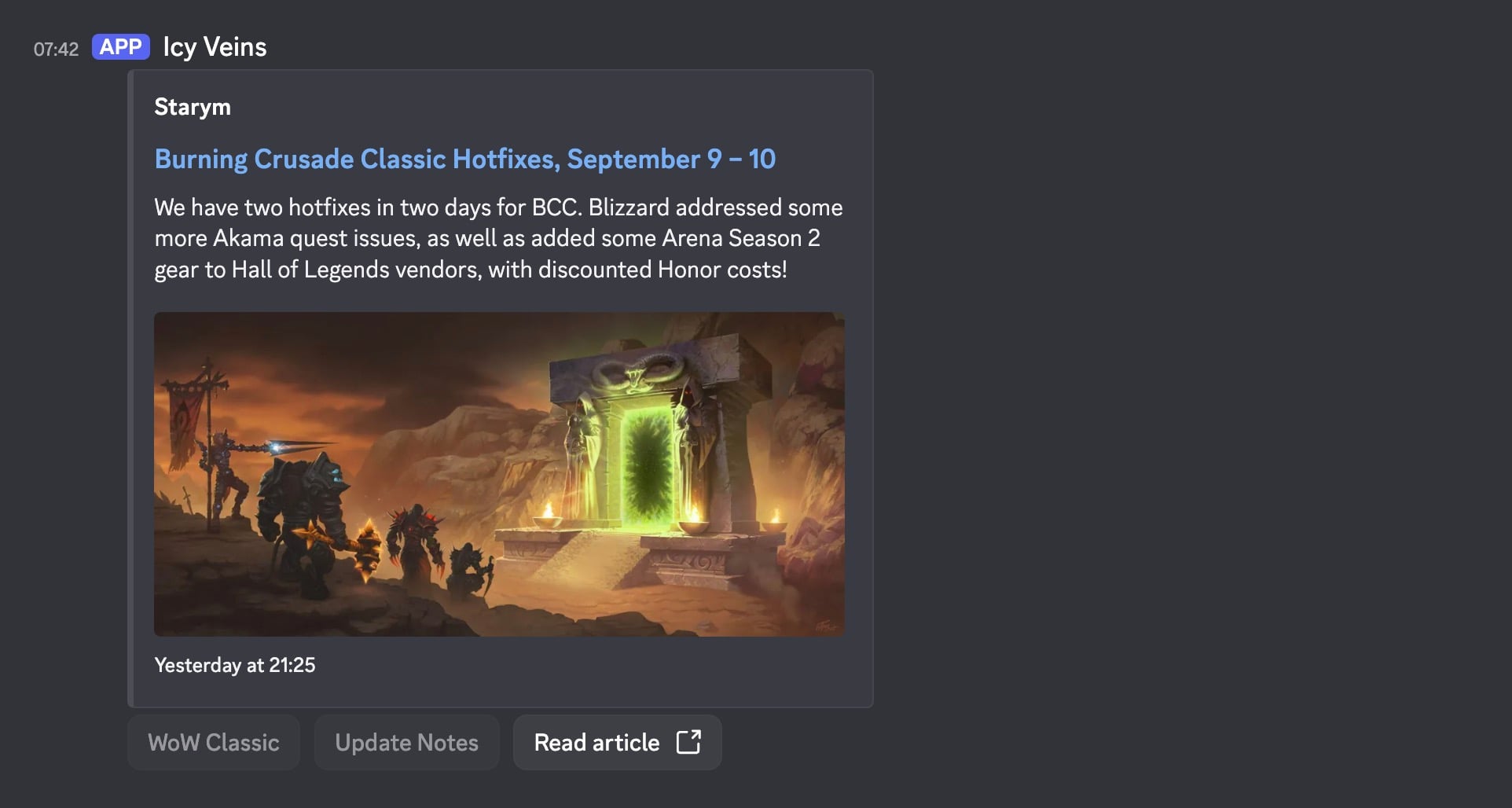
Icy Veins news can now land directly in your Discord server, so you never miss any important updates for your favorite games, just in time for BlizzCon.
Setup
At the top of the site, you will see a new Discord Webhook button.

Clicking on it will take you to the Discord Notifications page, where you can pick which game news you would like to show up in your Discord server. You can select from a list of multiple games and each game has specific tags tied to it, so if you only want Diablo 4 patch notes, you can select just the tag and no other Diablo 4 news will be pushed to your server.
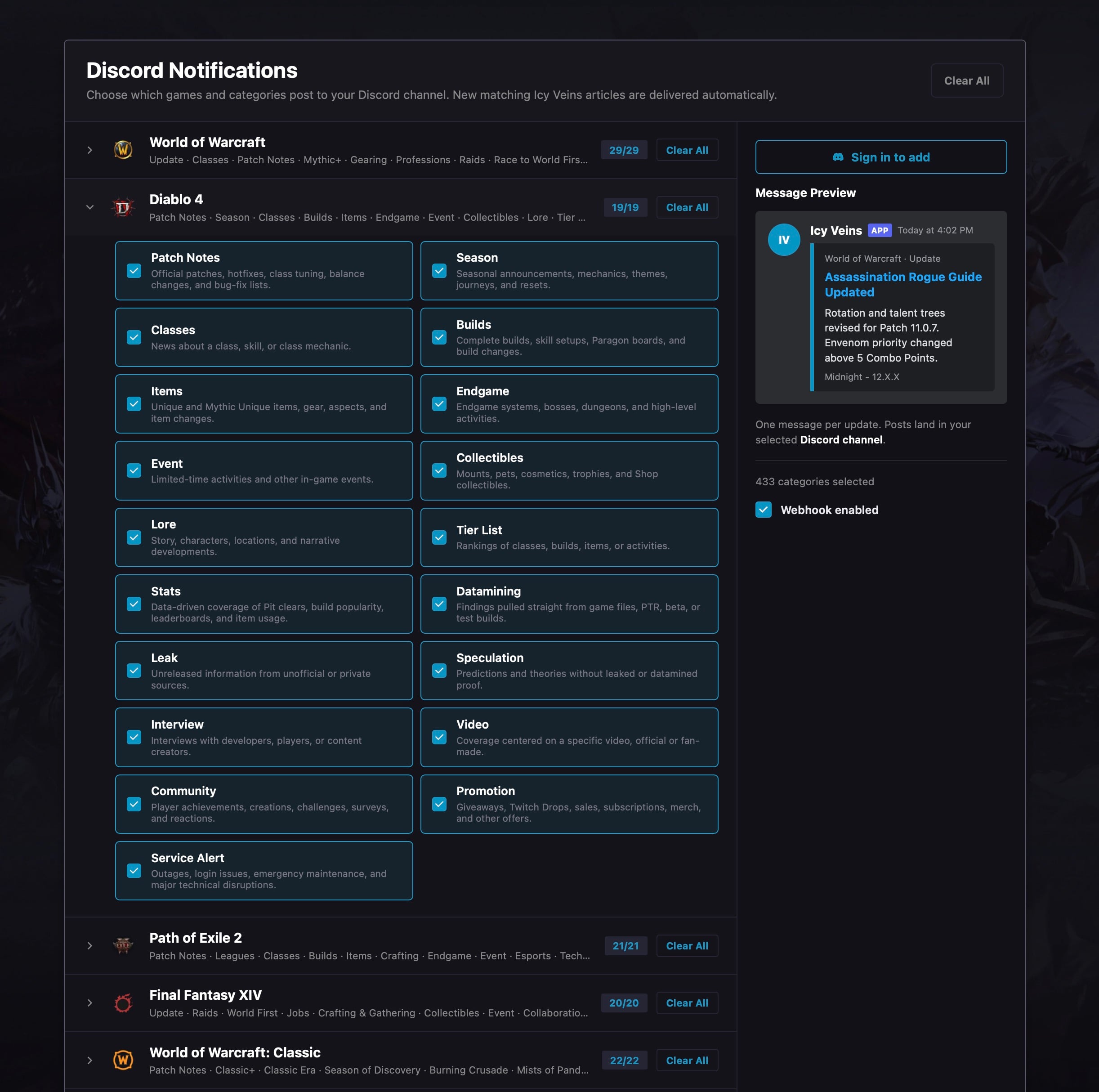
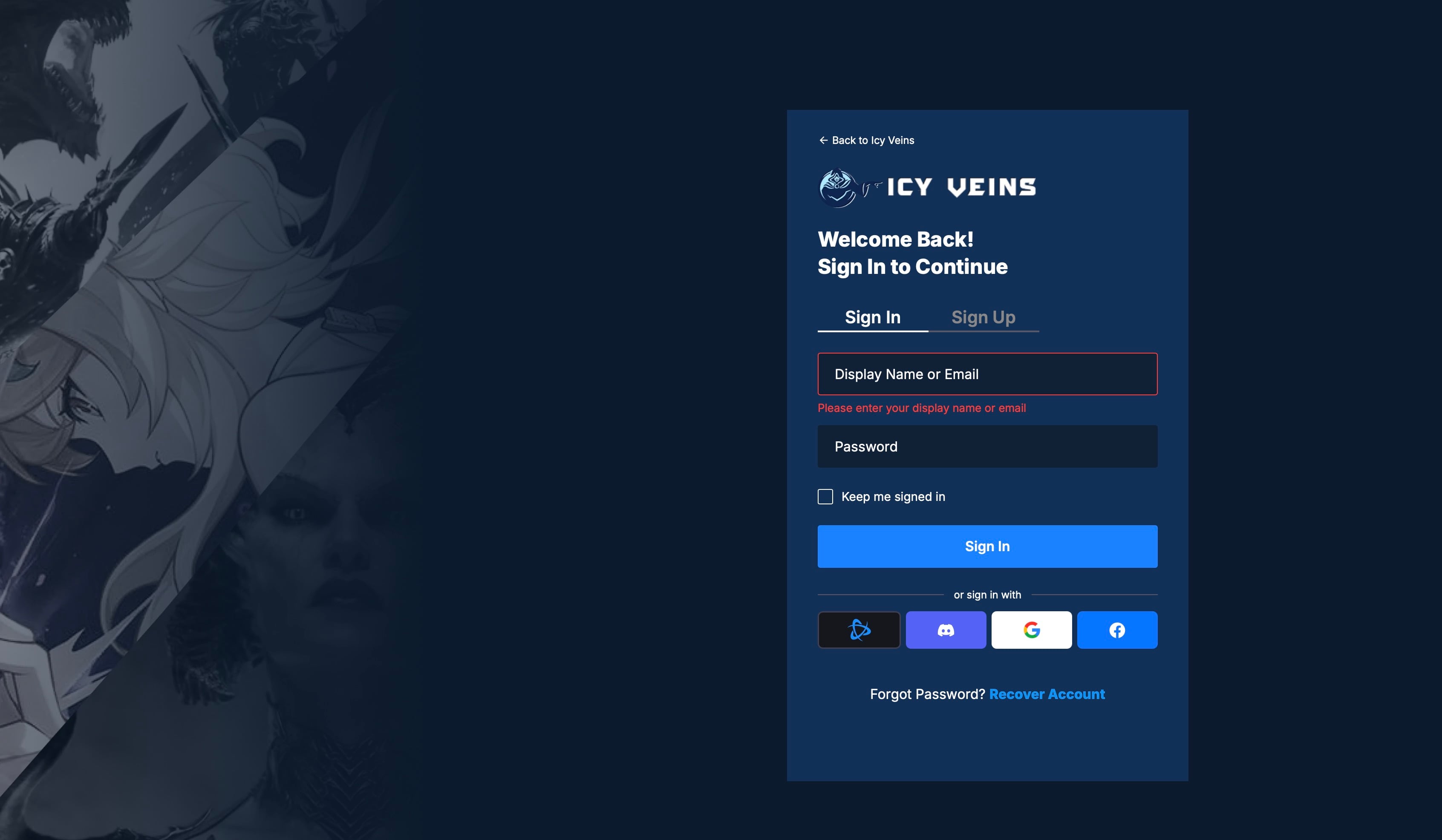
Once you’re happy with your selection, click the Sign in to add button and sign in to your Icy Veins account.
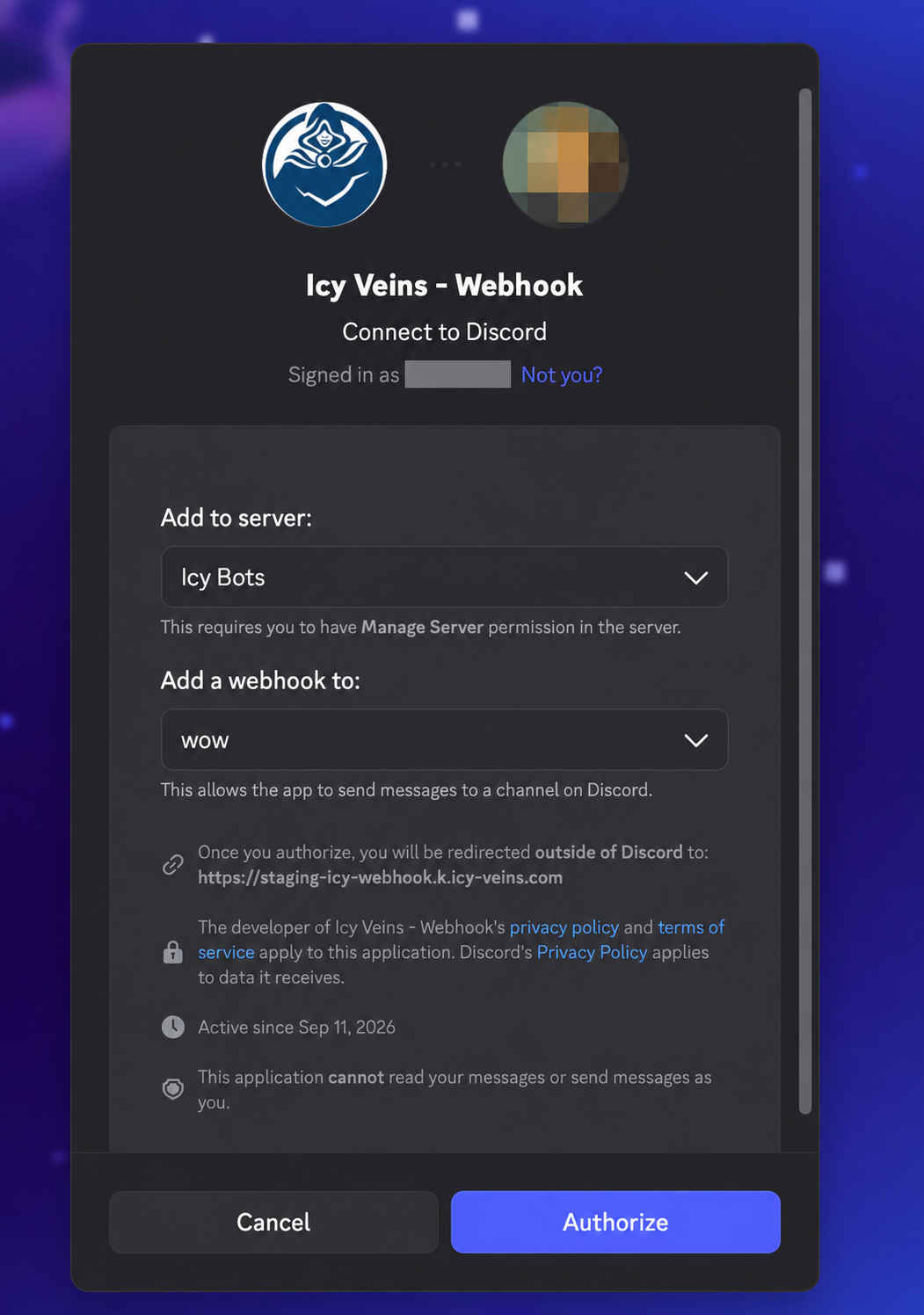
Then, log in to your Discord account and select the server and channel you would like to receive news in, then hit Authorize.
That’s it; you’re done! Now, every time a news article with your tags gets published on Icy Veins, you will be notified about it in your designated channel.
Adjusting the Settings
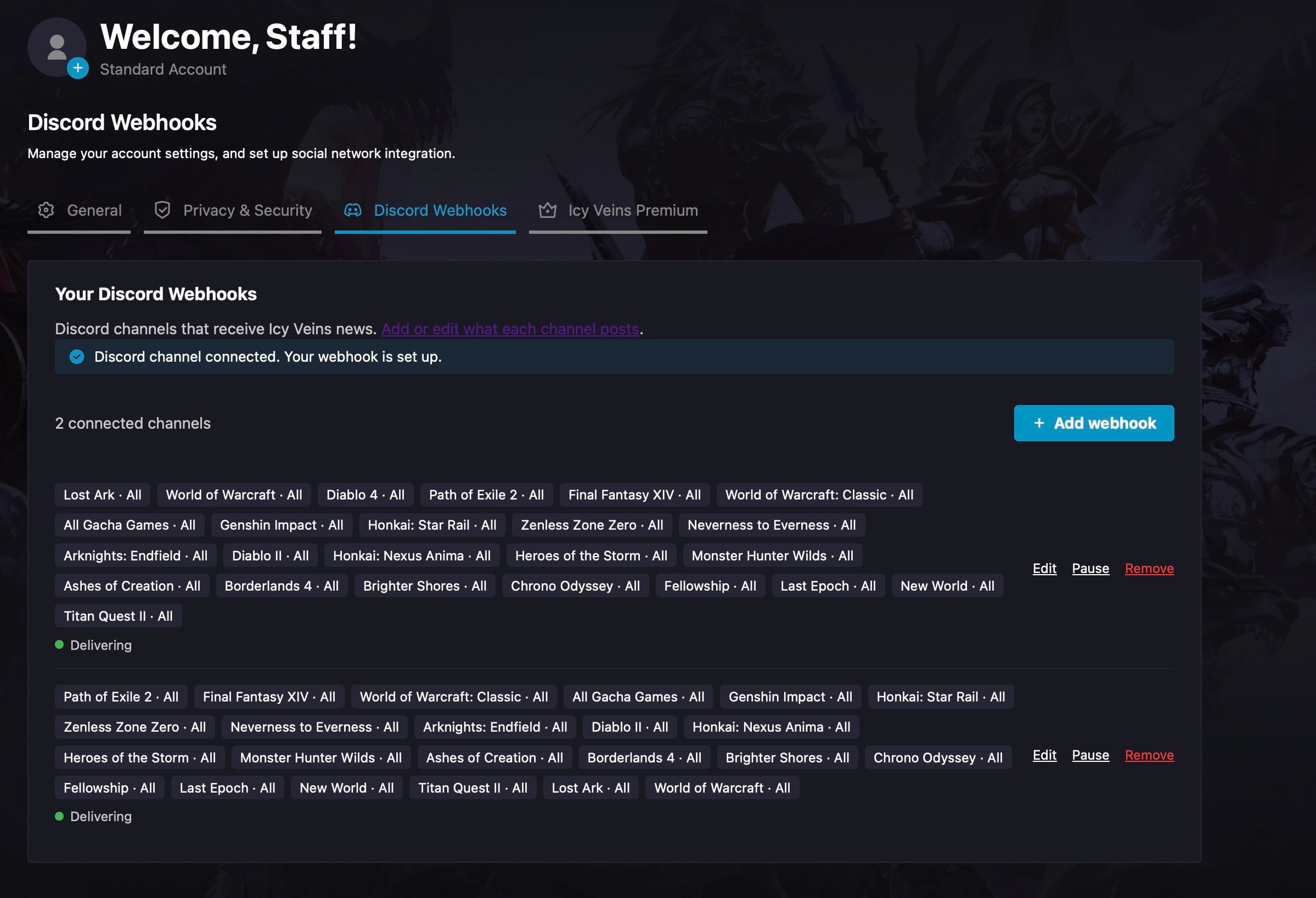
If you would like to update your webhook’s settings, you can go to the Discord Webhooks tab that shows up when you’re logged in to your Icy Veins account. Here, you can edit, pause, or remove any connected channels.
We hope the new feature lets you stay on top of your favorite game news!