Remix is very close to over, with only two more weeks before it packs its bags. A lot of players are already done with the event, and with the new feature for transferring characters to retail before Remix is done, this particular addon will come in very handy both now and when it ends and all chars are transferred automatically.
Save a Lot of Time, Save Your Bindings
For whatever reason, transferring a character from Remix to retail resets your ability bindings, macros, etc. Myslot remedies that, as it’s an addon that allows you to keep your full setup when moving a char over! You can simply save your configuration inside the addon, or you can export it and save it outside for later use. It saves our action bar layouts, macros, and keybindings.
You can grab it over at CurseForge.
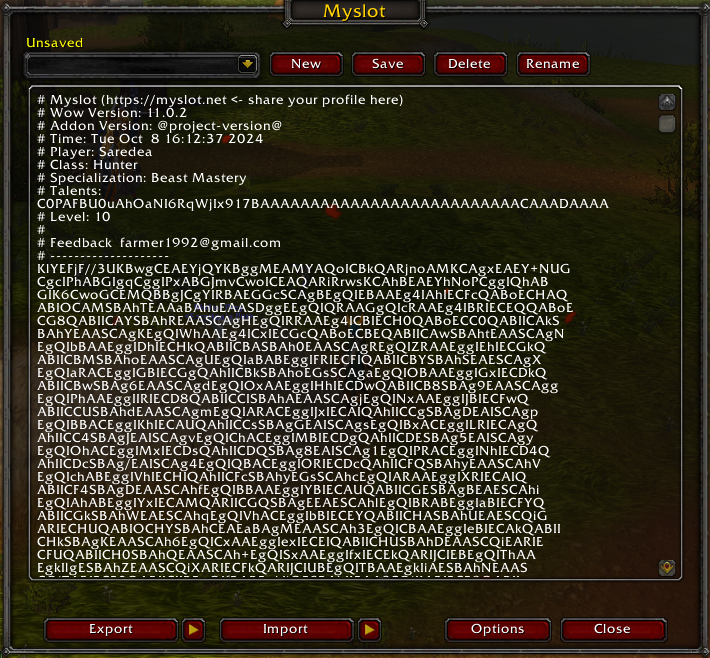
Functionality
Here’s how to use it:
Export
- Use command /myslot to toggle Myslot main UI
- Click the ‘Export’ button
- Save the
exported textanywhere you want (e.g. notepad as a txt)
Import
- Use command /myslot to toggle Myslot main UI
- Paste
exported textinto textbox - Click the ‘Import’ button
Clean up tools
- Clear all action slot on your action bar
/myslot clear action - Clear all key bindings (blizzard default included)
/myslot clear binding Import profile from command
You can use the command ‘load’ to import a profile by name
/myslot load ProfileName Thanks to Objective-Error1223 for reminding us of this very useful addon! Hopefully it will save you some time with your newly retailed characters!