
| Status Effect Name | Effect Description |
|---|---|
| Resolve | Increases your Armor by 25%+ while active. Taking direct damage consumes a stack. This effect can accumulate up to 8 stacks. |
Resolve is an effect that increases your Armor and is used by multiple classes. This effect can stack up to 8 times. However, taking damage will consume one stack.
How to Apply Resolve
Some Skills, Items, and Passives can cause this effect, and some can also enhance this effect, such as the  Colossal Spiritborn Glyph or
 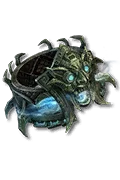 Band of First Breath.
Here are some examples of Skills or Passives related to the Resolve Status Effect:
| Class | Skill | Passive |
|---|---|---|
| Spiritborn |  Sharp Rock Splitter Sharp Rock Splitter |  Perseverance Perseverance |
| Spiritborn |  Armored Hide Armored Hide | |
| Spiritborn |  Rampant Crushing Hand Rampant Crushing Hand |
You can also affect your Resolve stacks by using gearing and tempering (like with  Spiritborn Resolve.)
How to Recognize Resolve
Resolve appears as a stacked buff icon near your skill bar.
The icon displays:
- Your current number of Resolve stacks (0–8)
- The remaining duration (if applicable, depending on the source)
Taking direct damage removes one stack at a time.
Additional Information About Resolve
High-uptime Resolve builds gain excellent durability, especially when paired with armor, block, and damage reduction sources.
- Resolve stacks provide consistent mitigation in extended combat.
- Losing Resolve stacks makes you more vulnerable, which makes careful positioning and defensive skill use very important.
- Resolve does not increase your damage directly; however, some Aspects or Paragon nodes offer additional bonuses when Resolve is active.