






Starting a new MMO with friends is always more fun, but WoW Forever’s layering and grouping systems mean there are a few things worth sorting out before everyone jumps into the game. Fortunately, Blizzard has made changes to help friends and guildmates stay together, provided you know what to look out for. Here’s how to make sure your group can adventure together without getting lost in different versions of the world.
Choose the Same Ruleset and Faction
The first thing to check is that everyone is creating characters on the same ruleset. WoW Forever launches with four options to choose from, which are: Normal (PvE), PvP, Roleplay and Roleplay-PvP. Hardcore will be added as a fifth ruleset after launch, but no release date is set in stone yet.
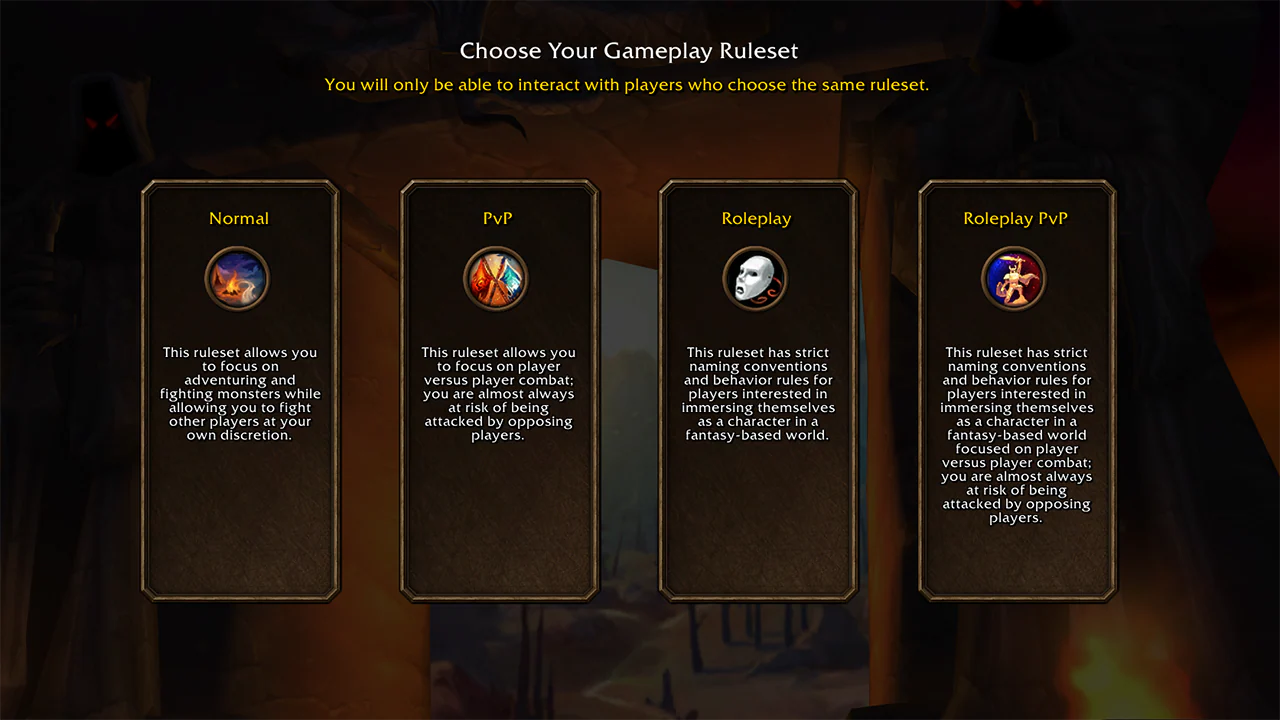
Each ruleset has its own player community, so cross-ruleset grouping isn’t supported. Battlegrounds are the exception, allowing players from different rulesets to compete together.
Faction choice matters as well! Horde and Alliance players can’t group together, and PvP players are restricted to creating characters of a single faction. You should make sure everyone agrees on their ruleset and faction before creating characters, as you can’t freely transfer between rulesets later. Choose wisely!
Join the Same Guild
Guilds are one of the easiest ways to improve your chances of finding friends while exploring. During the developers’ discussions about layering, Principal Software Engineer Frank Williams explained that players who join a guild should generally find themselves in worlds shared with their guild community, even when they’re not grouped.
This makes joining your friends’ guild early very useful, giving you a better chance of naturally encountering one another throughout the game.
Check Your Language Settings
In the latest WoW Forever Podcast, it was also explained that your client language can also influence which communities and worlds you encounter. If you’re struggling to find your friends despite having matching characters and rulesets, check that everyone is using the same language setting. Be aware that changing your language settings comes with a 24-hour cooldown and applies across your account.
A Heads-Up Before Changing Layers
WoW Forever’s new layering notification system gives players a warning and a short window to prepare before being moved to another world. It triggers when the game needs to move you between layers, such as when syncing with friends or guildmates. The feature was introduced to prevent players from being unexpectedly relocated, giving them more control and helping avoid interruptions to gameplay.
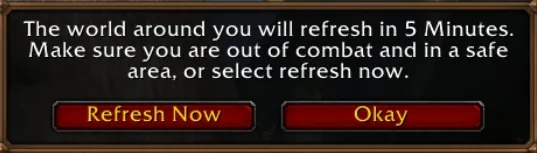
When you are ready to play with your friends and join your party, you will be met with this pop-up. Make sure that you are in a safe location, and when you are ready you can click “refresh now”. Afterwards, you should be in the same layer as your party members!
Keeping Your Party Together
A little preparation goes a long way when trying to play with friends. Remember to confirm which faction and ruleset your friends would like to play on first. When you group up, keep an eye out for the new in-game notification and confirm that everyone has been brought together. Afterwards, before heading off into combat, make sure you can actually see your party members. This way, you can spend less time searching for your friends and more time exploring together!
You can read more about the different rulesets that you and your friends can choose in Blizzard’s “Choose Your Ruleset” article here. The newest episode of the WoW Forever podcast also goes in depth into these topics, and you can view it below.