The Seasonal Crest Cap for Midnight Season 1 is now lifted in this week’s weekly reset! This is the point in the season where you will want to spend all your lower crests to finish upgrading your gear.
Purchasing items to upgrade crests can be quite a chore on its own, as each separate Crest Upgrade item triggers a confirmation window to purchase. Use the macros in this post to speed the process up significantly!
Use These Macros to Purchase Crest Conversion Items Faster
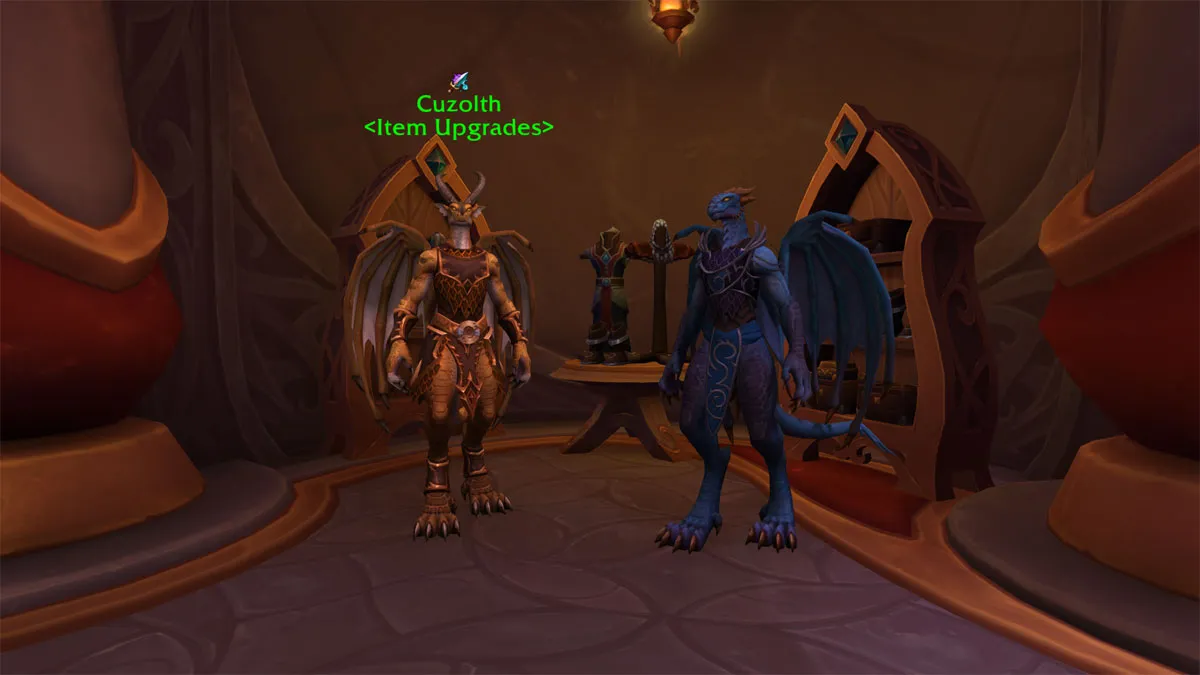
You can use the macros below to purchase crest items from the upgrade vendor. Buying items in this manner skips the confirmation window.
Note that these macros are intended for use with the vendor Vaskarn in Silvermoon. Using them on different vendors will also purchase items – Read below more about how the macro works.
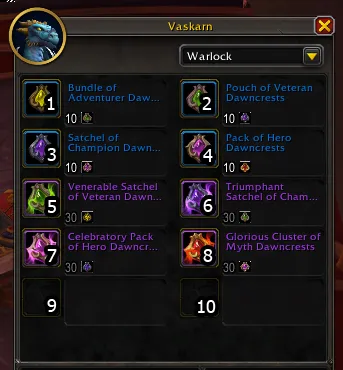
 Venerable Satchel of Veteran Dawncrests Venerable Satchel of Veteran Dawncrests(30 Adventurer -> 10 Veteran) | /script BuyMerchantItem(5,1) |
 Triumphant Satchel of Champion Dawncrests Triumphant Satchel of Champion Dawncrests(30 Veteran -> 10 Champion) | /script BuyMerchantItem(6,1) |
 Celebratory Pack of Hero Dawncrests Celebratory Pack of Hero Dawncrests(30 Champion -> 10 Hero) | /script BuyMerchantItem(7,1) |
 Glorious Cluster of Myth Dawncrests Glorious Cluster of Myth Dawncrests(30 Hero -> 10 Myth) | /script BuyMerchantItem(8,1) |
How the Macro Works
The BuyMerchantItem script purchases items from vendors, and it is a pretty useful macro if you’re constantly buying things. It works in the following way:
| BuyMerchantItem(index,quantity) |
- Index is the position of an item you want to buy from a vendor. This follows a left-to-right, up-to-down ordering. Looking at Vaskarn’s order of goods, Venerable Satchel of Veteran Dawncrests is the fifth item in his wares, Champion upgrade is the sixth, etc. I’ve posted an image below to better illustrate this.
- If a vendor has more than one page worth of goods, the order continues, with the first item in page 2 being item 11, next being 12, etc.
- Quantity is pretty self-explanatory, it’s how many items you want to buy at a time. I’ve left the post at 1 for safety, but if you wanna purchase more than 1 item at a time, you can simply edit that second number.
- If a vendor sells stacks of an item at a time, the quantity will reflect how many stacks you want to purchase.
For more updates on World of Warcraft: Midnight and beyond, visit our main WoW news hub.